Input/Output


Reading Input(cin)


    int x;
    cin >> x;
        

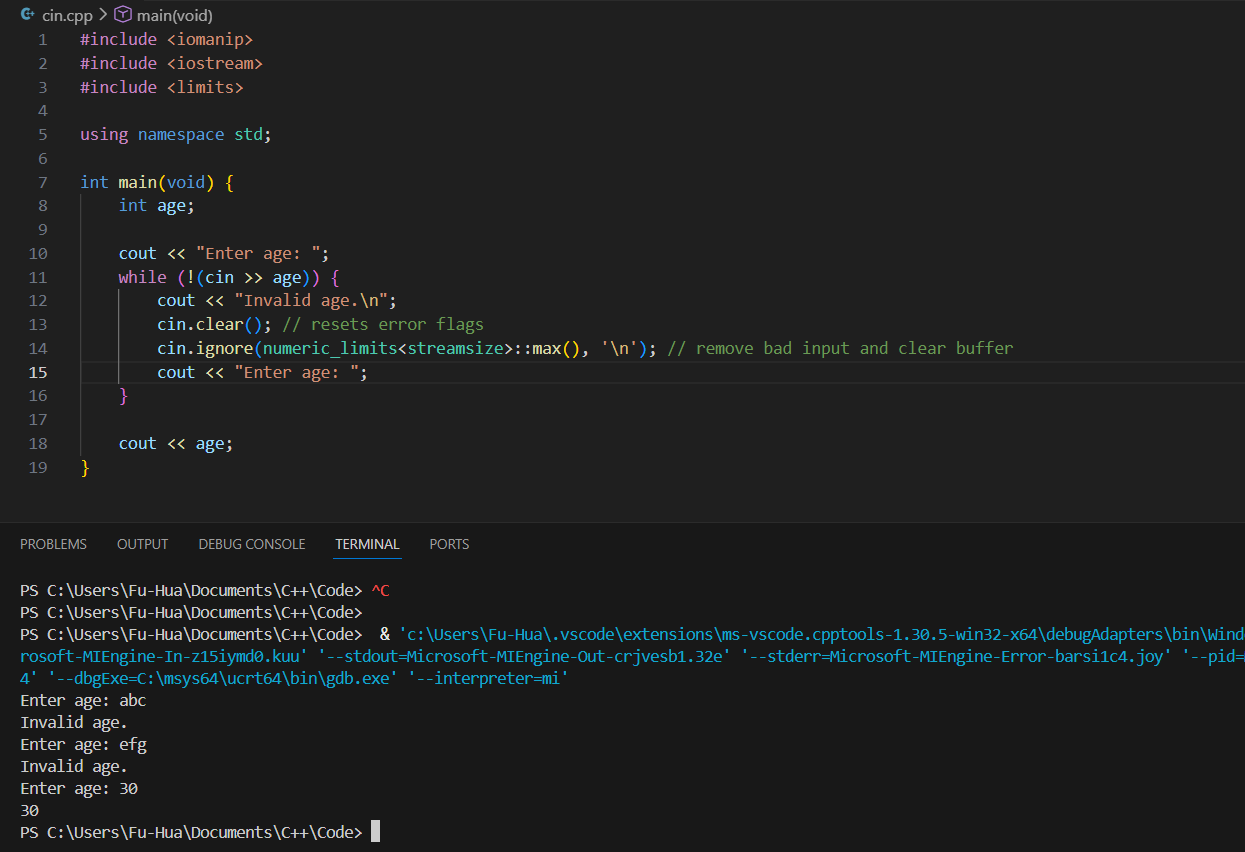
cin.clear()

It clears the error state flags of cin.

  1. If user enters the wrong type (ex. letters for an int), cin fails
  2. When cin fails:
  3. cin.clear() resets the error state (makes cin usable again)
  4. cin.ignore(removes the bad leftover input from the buffer)
  5. if (cin >> x) checks if input was succesful (false if it failed)

Example:


Output (cout)


    cout << "hello" << endl;
        

Printf() C-style Output

C-style Output

C++ Output


General printf Format Specifier: %[flags][width][.precision][length]specifier

Specifier Type Example Format Example Output (value = 12.3456 or 42) Description
%d Integer (int) printf("%d", 42); 42 Prints a signed decimal integer
%f Floating point (double/float) printf("%f", 12.3456); 12.345600 Default: 6 decimal places
%.2f Floating point printf("%.2f", 12.3456); 12.35 Sets precision to 2 decimal places
%10d Integer printf("%10d", 42); ________42 Field width of 10 (right-justified by default)
%-10d Integer printf("%-10d", 42); 42________ Left-justified in field width of 10
%10.2f Floating point printf("%10.2f", 12.3456); _____12.35 Field width 10, precision 2, right-justified
%s String printf("%s", "Hello"); Hello Prints a string
%c Character printf("%c", 'A'); A Prints a single character

Manipulators


    #include 
    #include 
    using namespace std;

    double pi = 3.14159;
    cout << fixed << setprecision(2) << pi << endl; // output: 3.14
        
  1. fixed
  2. setprecision(2)
  3. Each manipulator (fixed, setprecision(2)) modifies the stream's behavior for everything that comes after it.
  4. Order matters. Fixed must come before setprecision(2) to ensure it controls decimal places instead of significant digits.

Manipulators in iostream and iomanip

Manipulator Header / Source Example Code Persistence Description / Notes
endl <iostream>
cout << "Hello" << endl;
N/A Terminates the output line (like "\n") and flushes the output buffer.
fixed <iomanip>
cout << fixed << 3.14159;
Persistent Displays floating-point numbers in decimal format; works with setprecision() to control decimals.
showpoint <iomanip>
cout << showpoint << 3;
Persistent Always shows the decimal point for floating-point numbers, even whole numbers (e.g., 3 → 3.000000).
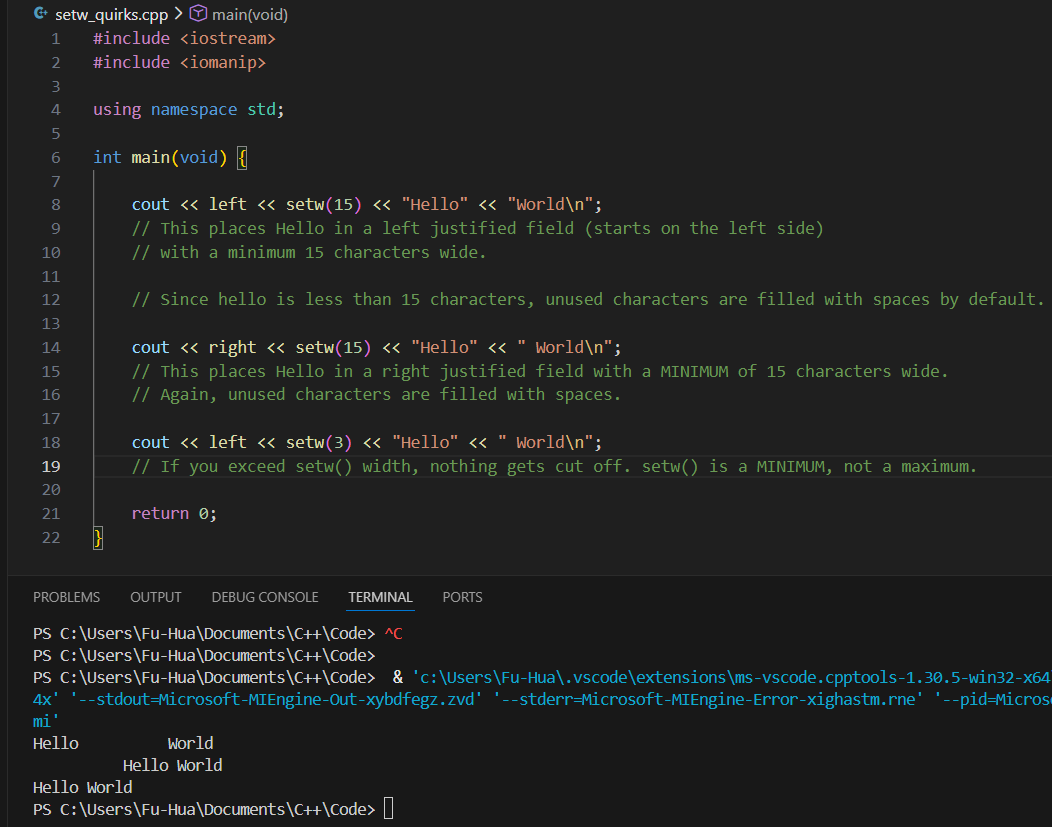
setw(n) <iomanip>
cout << setw(10) << 42;
Temporary (next output only) Sets the width of the next output to 'n' characters; right-justified by default. Useful for aligning columns.
setprecision(n) <iomanip>
cout << fixed << setprecision(2) << 3.14159;
Persistent Controls decimal places if fixed/scientific, or significant digits otherwise. Default is 6.
scientific <iomanip>
cout << scientific << 31415.9;
Persistent Displays floating-point numbers in scientific notation (e.g., 3.141590e+04).
hex <iomanip>
cout << hex << 255;
Persistent Displays integers in hexadecimal. Use dec to revert to decimal output.
dec <iomanip>
cout << dec << 255;
Persistent Displays integers in decimal format. Useful after hex or oct manipulators.
setfill(c) <iomanip>
cout << setfill('0') << setw(5) << 42;
Persistent Fills unused field width with the specified character (default is space). Useful for leading zeros.
left <iomanip>
cout << left << setw(10) << 42;
Persistent Left-justifies all subsequent output within the field width.
right <iomanip>
cout << right << setw(10) << 42;
Persistent Right-justifies all subsequent output within the field width (default).

setw() Quirks & Other Examples